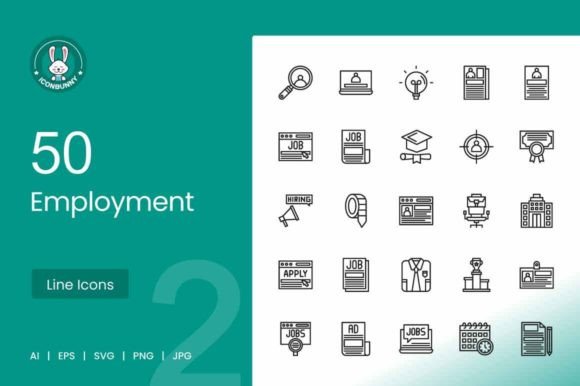
50 Employment Line Icons: A Complete Visual Toolkit for Hiring
In the modern digital landscape, visual communication is no longer optional; it is a requirement for capturing attention. Whether you are designing a mobile app for a recruitment agency, building a career portal website, or creating a presentation for HR training, the right imagery makes all the difference. This is where the 50 Employment Line Icons collection steps in. It is more than just a set of pictures; it is a comprehensive design system tailored specifically for the workforce and hiring sector.
Understanding the Visual Style and Personality
The core strength of this icon set lies in its modern typography and design philosophy. Created using a unigrid system, these icons offer perfect consistency. Every curve, line weight, and corner radius is calculated to ensure that when you place them side-by-side, they look like a cohesive family rather than a random collection of clipart. This is vital for brand identity. If your brand promises precision and professionalism, your visual assets must reflect that.
Visually, these are clean, crisp vector icons. They fall into the category of "line" or "outline" art, which is a massive trend in web design and mobile apps. Unlike heavy, filled-in graphics, line icons feel airy and light. They take up less visual weight on a screen, allowing text and other content to breathe. This style is incredibly versatile. It can look corporate and serious when used in black and white, or playful and energetic when applied with bright brand colors. The personality of the set is approachable yet authoritative—exactly what you want when discussing employment, careers, and professional growth.
Practical Applications Across Industries
You might wonder if a specialized set of employment line icons is necessary. The short answer is yes, because generic icons often fail to communicate specific nuances. Consider the difference between a generic "user" icon and a "verified candidate" icon. The latter implies trust and vetting, which is crucial for a staffing platform.
Here is how different professionals can utilize this collection:
- Mobile App Developers: Use the Find Candidate or Job Notification icons for navigation bars. The SVG format ensures they remain sharp on any screen resolution, from low-end Androids to high-retina iPhones.
- Web Designers: When building a careers page, utilize icons like Submit Documents, Scheduled Date and Time, and Online Job Ad to break up text-heavy sections. This improves readability and guides the user’s eye down the page.
- Print Publishers: For brochures, flyers, or newspaper job ads, the 100% vector nature means you can scale them to any size without pixelation. The Newspaper Ad and Formal Dress icons are perfect for editorial design layouts.
- Presentations and Templates: HR managers can use Interview, Shaking Hands, and Select Candidate to create engaging slide decks. Visual hierarchy is easier to achieve when you have specific icons to represent different stages of the hiring funnel.
Enhancing User Experience and Engagement
Icons are not just decoration; they are functional design assets that improve usability. In UX design, we talk about "cognitive load." When a user visits a job board, they are often stressed or overwhelmed. Using clear icons like Resume, Diploma, or Certification helps users process information faster than reading text alone. This is the essence of modern typography and design—it facilitates communication.
Furthermore, these icons aid in visual hierarchy. By using a Briefcase on Fire icon for "Urgent Hiring" or a Victory icon for a successful placement, you draw immediate attention to key status updates. This not only makes the interface more intuitive but also increases audience engagement. Users are more likely to interact with a button or a section that has a clear, recognizable symbol attached to it.
Integration with Brand Identity
Consistency is the hallmark of a strong brand. When you use a mismatched set of icons—some filled, some outlined, some thick, some thin—it creates a subconscious feeling of unease or unprofessionalism. By adopting the 50 Employment Line Icons set, you ensure that every touchpoint, from the Online Profile page to the Job Post listing, speaks the same visual language. This consistency builds trust with your audience, whether they are job seekers or corporate clients.
Technical Flexibility and Formats
A major hurdle for designers is file compatibility. This collection eliminates that problem by offering 5 different formats: AI, EPS, JPG, PNG, and SVG.
- SVG (Scalable Vector Graphics): This is the gold standard for web design. It keeps file sizes small and loads fast, which is good for SEO. It also allows you to change colors via CSS, making it easy to match your site's theme.
- AI and EPS: These are essential for print designers and those working in Adobe Illustrator. They are fully editable vector icons, meaning you can tweak the anchor points, change line weights, or combine elements to create custom illustrations.
- PNG and JPG: For quick use in presentations, social media graphics, or by non-designers who need drag-and-drop functionality.
The fact that these are 100% vector means they are future-proof. As screen resolutions get higher and print standards get stricter, these icons will remain crisp. They are designed for maximum usability, meaning they work just as well on a tiny mobile button as they do on a large poster.
Making the Most of the Collection
To get the best results, don’t just drop these icons in randomly. Treat them as part of your font pairing strategy. Just as you pair a serif heading with a sans-serif body text, you should pair your icons with your typography. Because these are line icons, they pair beautifully with clean sans-serif fonts for a modern look, or with serif fonts for a more traditional, editorial feel.
Consider the specific scenarios provided in the set. Do you need to show a candidate taking a test? Use the Taking Test icon. Need to highlight a Walking with Briefcase scenario? It’s there. The inclusion of specific metaphors like Intelligence, Solve Puzzle, and Thinking about Job allows for nuanced storytelling. You aren't just saying "apply here"; you are visually narrating the journey of professional development and employment.
Ultimately, the 50 Employment Line Icons are a practical, high-value investment for anyone working in the HR, recruitment, or business sectors. They bridge the gap between complex concepts and simple visual communication, ensuring your projects look polished, professional, and ready for the modern workforce.